A till that does not stop
Scan a barcode or key a PLU and the line lands at the right price with tax applied by the engine. Loose goods open a weight prompt by themselves. The whole bill is driveable from the keyboard, and none of it needs a network — the till owns its data and settles on its own.
- Barcode, PLU code, or quick-key tiles for goods a scanner cannot help with
- Embedded-weight labels open a weight prompt automatically
- Function keys for search, quantity, price override, discount and void
- Hold a bill and resume it so the next customer is served
- Sale, proforma and training modes on the same screen
- Per-line tax status shown as the bill is built
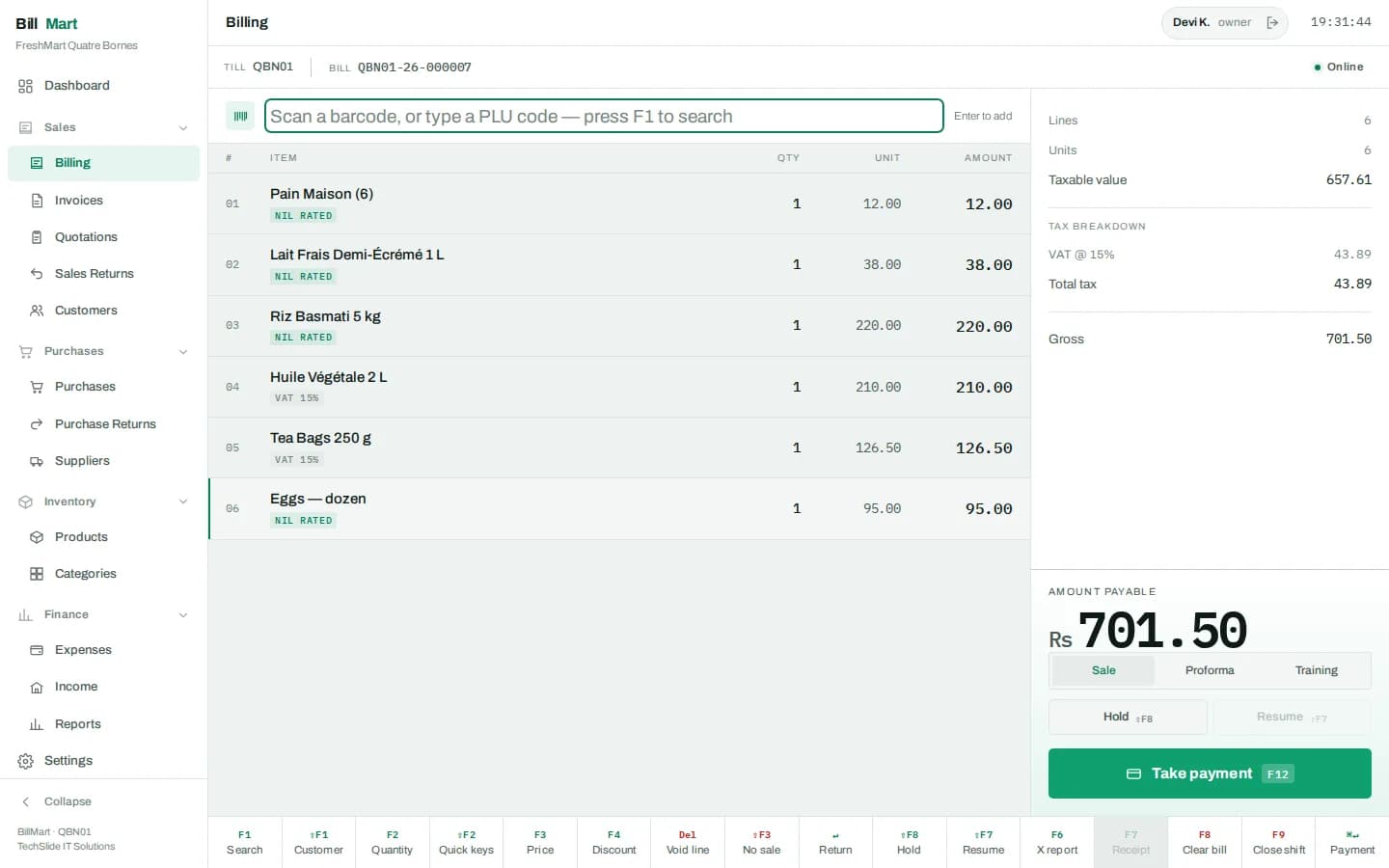
Split the tender however the customer pays
Cash, card, wallet or QR, across as many methods as one bill needs. The keypad takes the tendered amount, the outstanding balance counts down as each tender lands, and the sale only settles when the bill is covered.
- Cash, card, UPI/QR and wallet, each on its own function key
- Split a single bill across as many tenders as needed
- Tender the exact amount in one press
- Outstanding balance counts down as tenders are added
- Change due calculated from what was actually handed over
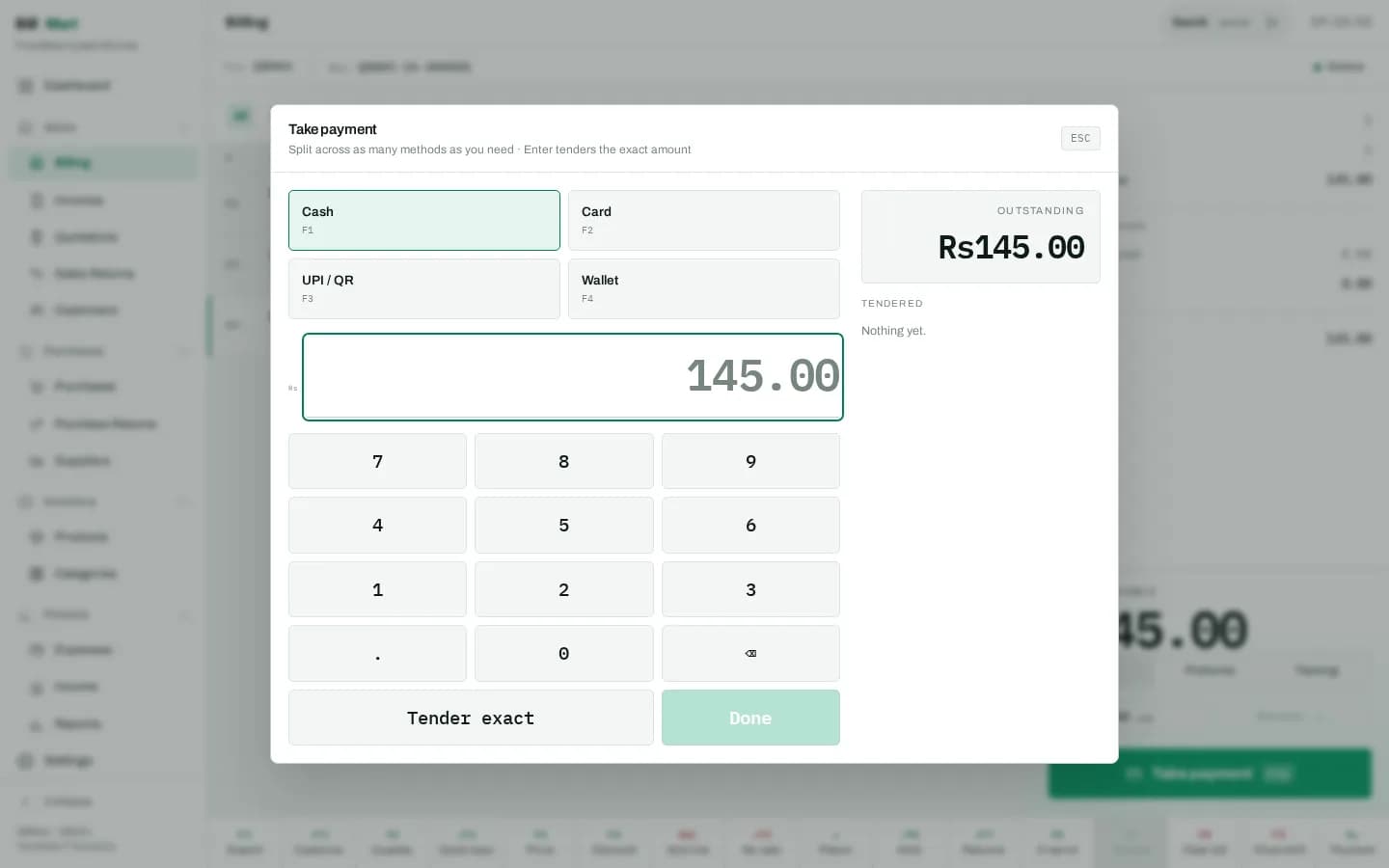
The trading day, while it is still happening
Takings so far, how many bills, the average basket, how customers paid, the week behind you, what is running low, and how many documents are still waiting on the tax authority — all on the screen the owner opens first.
- Today’s sales net of refunds, and the bill count
- Average basket before refunds
- Payment mix for the day at a glance
- Seven-day sales trend
- Running-low list against each item’s reorder level
- Documents not yet acknowledged by the tax authority
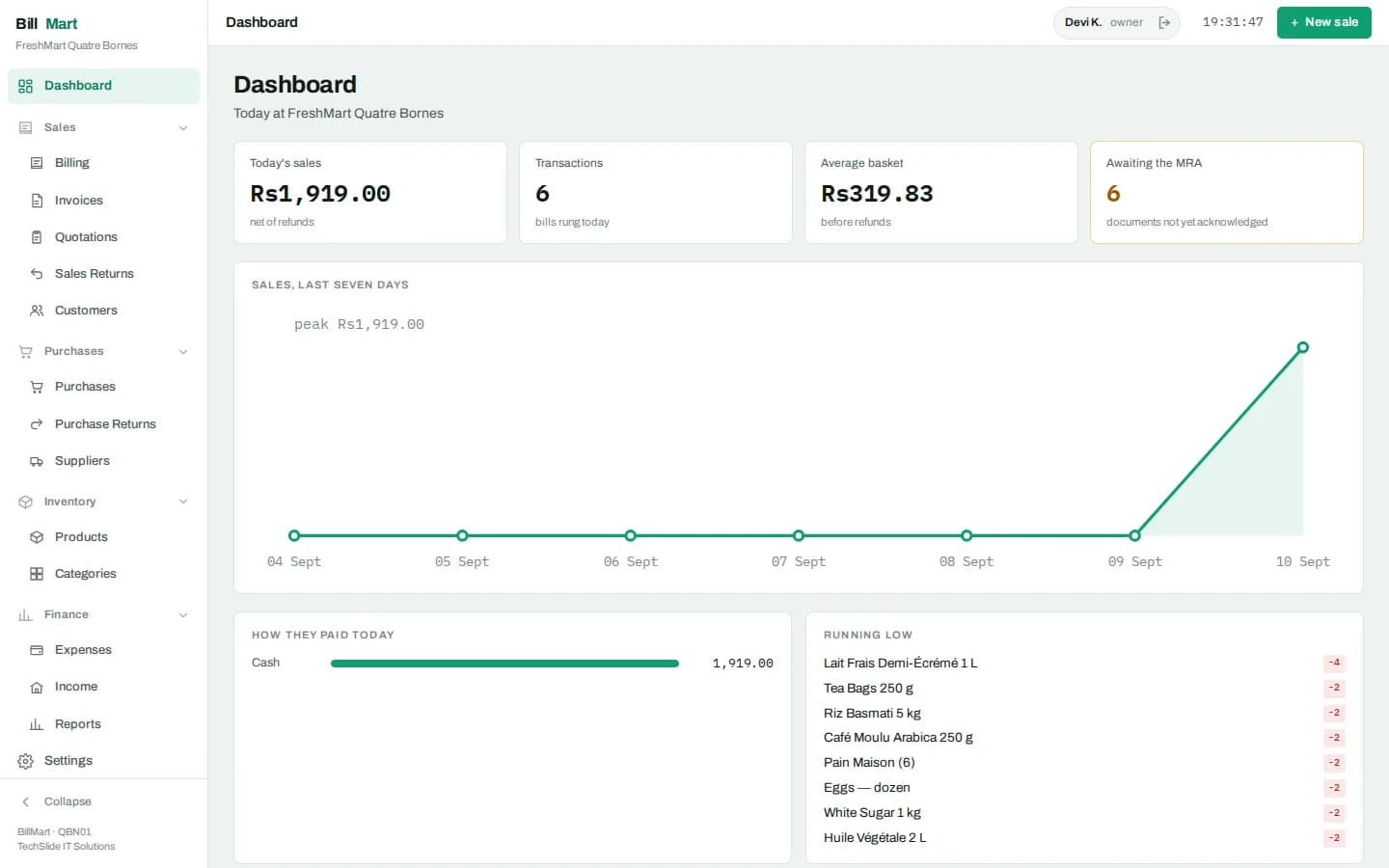
Every bill, and the document behind it
The invoice list is the store’s record: filter it, search it, open any bill and see what was sold, what tax applied and how it was paid. Each document can be laid out on A4, sent to a customer, or returned against.
- Filter by date, till, cashier or status
- Open any bill down to its lines and tax
- A4 layout with the business profile and tax detail, printed or saved as PDF
- Send to a customer over WhatsApp or email
- Raise a return directly against the original bill
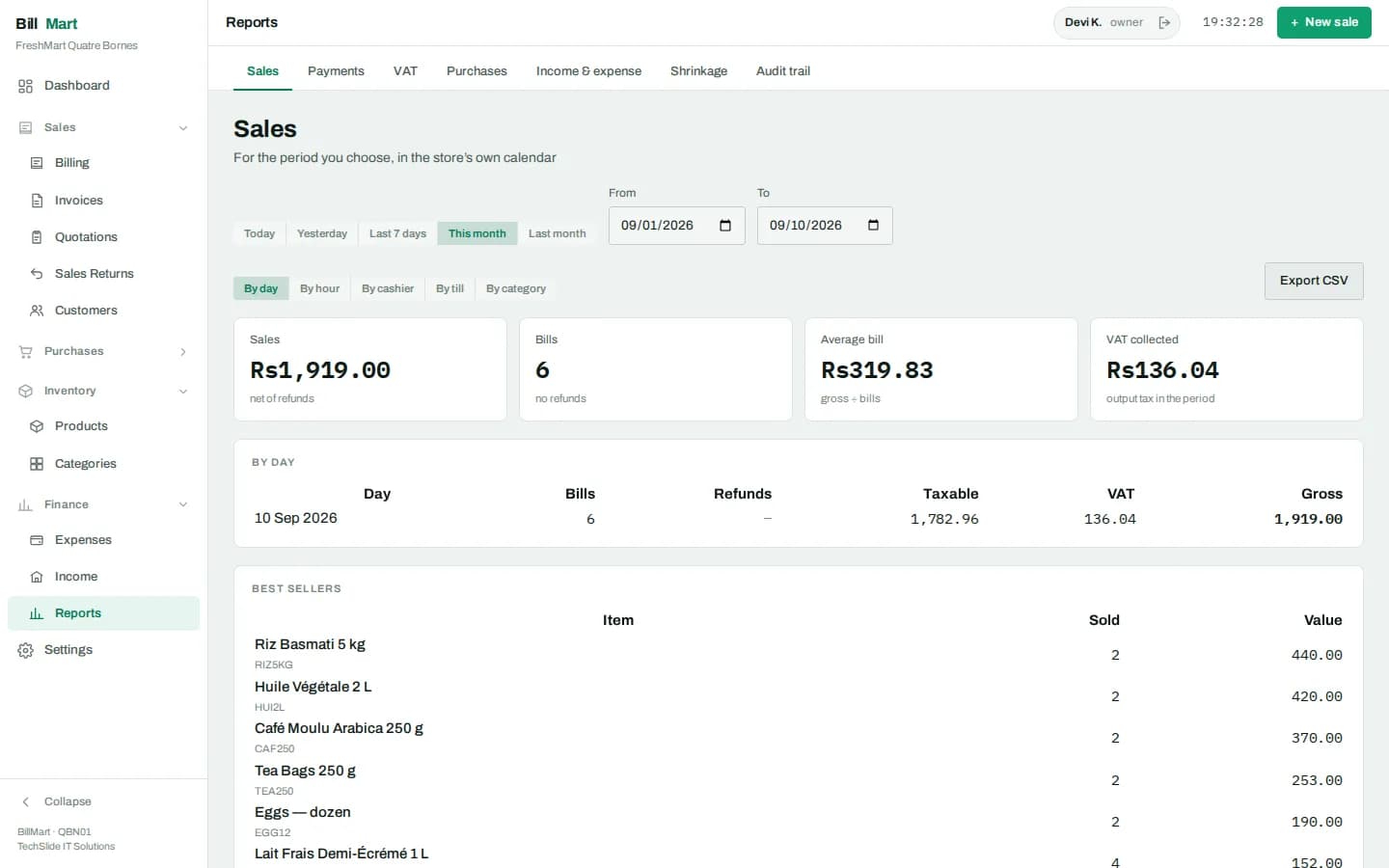
Seven tabs, one date range, everything exportable
Sales by day, hour, cashier, till or category with best sellers. The payment mix your drawer and card settlement should reconcile to. The tax return as output less input. Purchases by supplier, income and expense, shrinkage — and the audit trail. Every figure is summed from settled documents, with credit notes subtracting.
- Sales by day, hour, cashier, till or category, with best sellers
- Payments — the tender mix to reconcile the drawer against
- Tax return as output less input for the period
- Purchases by supplier, received less returned
- Income and expense, and shrinkage
- Every tab exports to CSV
A catalogue the lane and the back office share
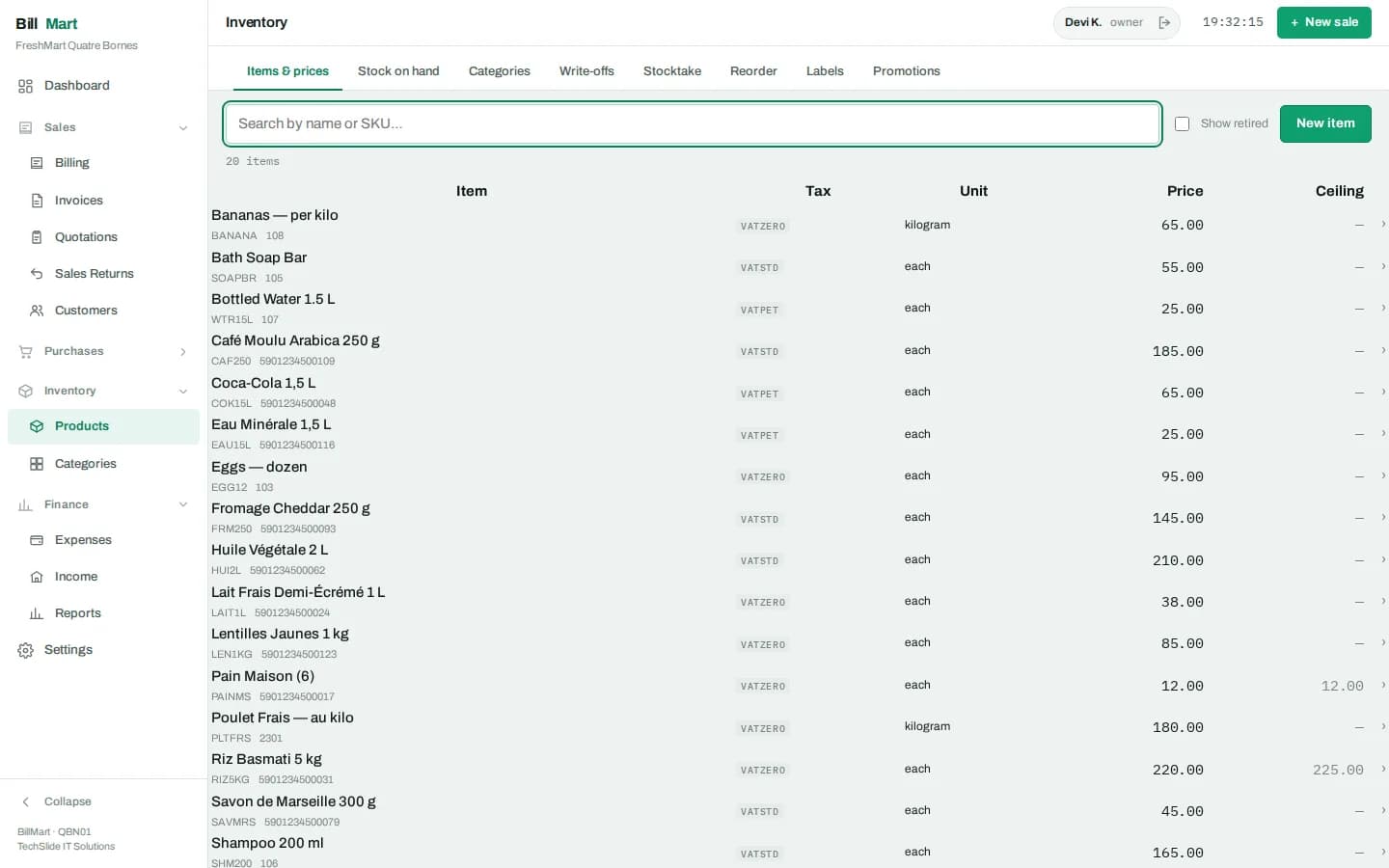
Items carry their barcodes, category, unit, cost, price and tax treatment, and every lane prices from the same catalogue. Reorder levels drive the running-low list, and loose goods are priced by weight at the till.
- Barcodes, SKU, category and unit per item
- Cost and selling price, with the tax treatment per item
- Reorder level driving the dashboard’s running-low list
- Loose goods weighed and priced at the lane
- Shelf-edge and product labels printed from the same catalogue
Receive the delivery, and the stock follows
Purchases record what arrived from which supplier at what cost, so margin is measured against what you actually paid. Returns go back at the cost that was paid, with a reason, and the supplier statement is summed from the documents rather than kept as a running figure.
- Receiving against the supplier delivery
- Purchase returns at the cost that was paid, with a reason
- Supplier statements: deliveries owed, returns and payments
- Payments recorded append-only
- Reorder raises one draft order per supplier
Accounts, limits and statements
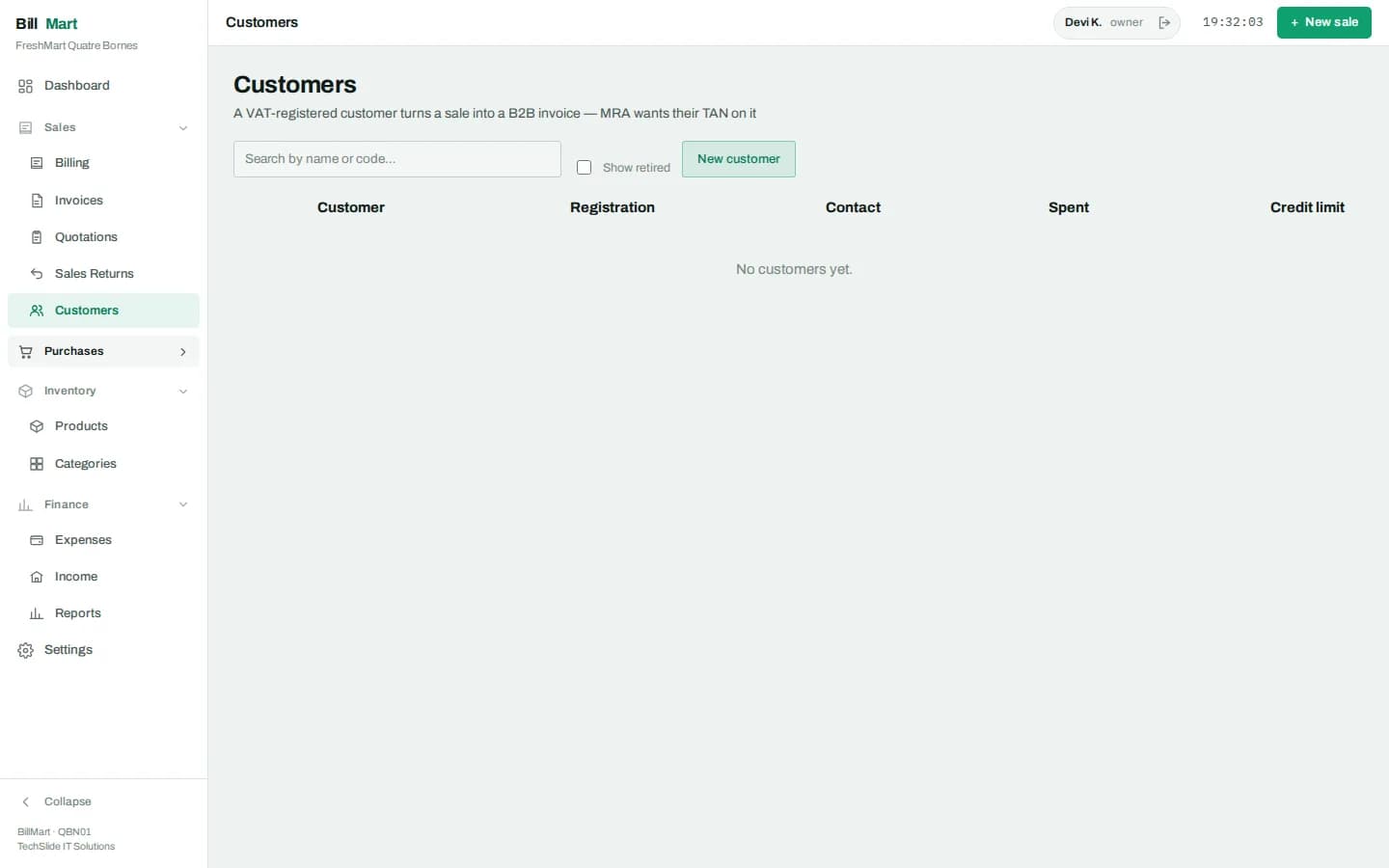
A regular can be attached to a bill and buy on account, with the credit limit checked inside the settle transaction rather than afterwards. Their statement shows invoices on account, credit notes, payments and the balance, summed from the documents every time.
- Attach a customer to a bill at the lane
- Sales on account, with the credit limit enforced as the bill settles
- Statement of invoices, credit notes, payments and balance
- Payments received recorded append-only
- Balances summed from documents, never a stored running total
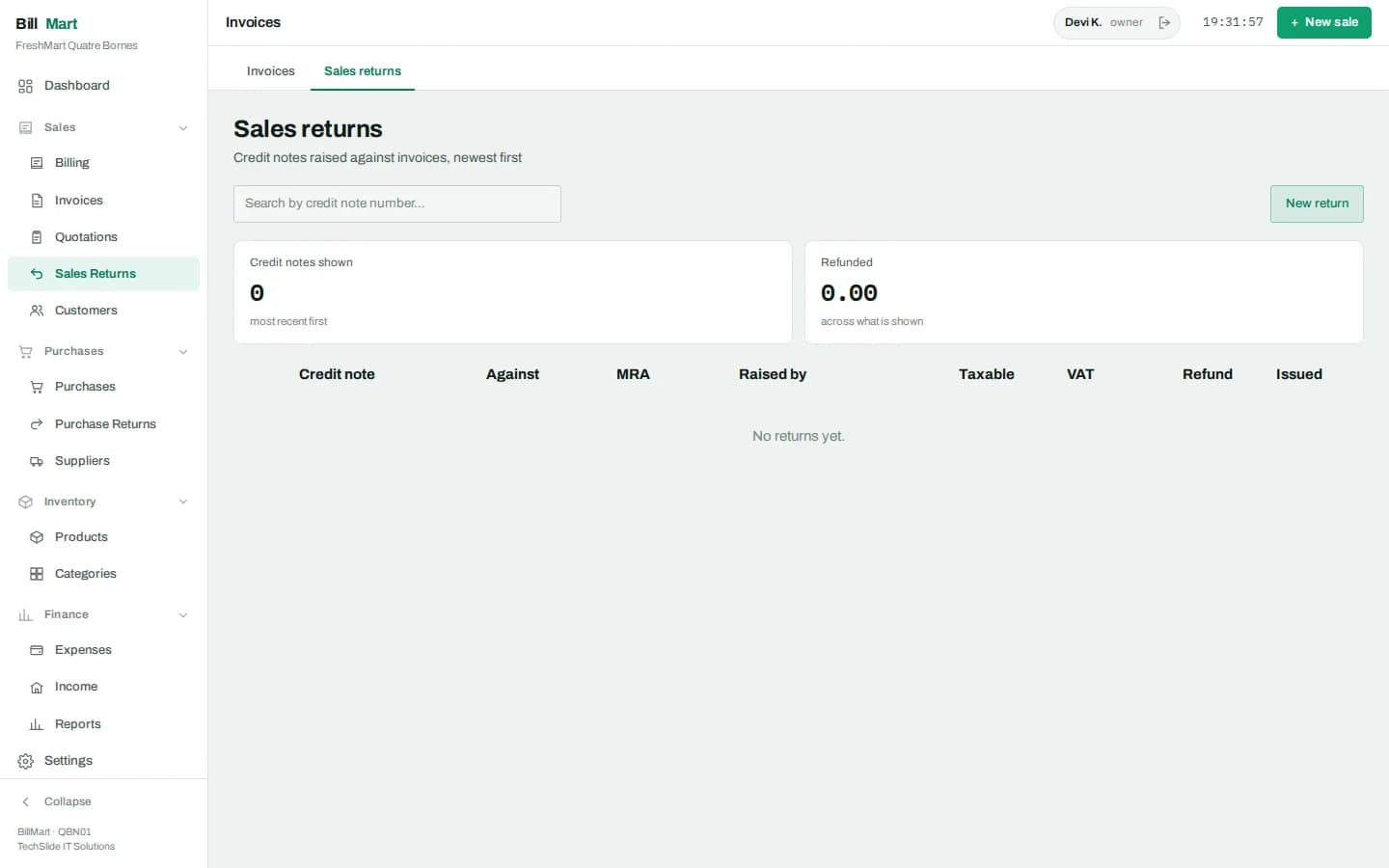
Refund against the bill, at the price paid
A sales return is raised against the original document at the price the customer actually paid, with each line marked restock or damaged — so the refund, the stock and the tax all move together instead of being patched afterwards.
- Raised against the original bill, not typed fresh
- Refunded at the price the customer paid
- Each line marked restock or damaged
- Credit note produced as the statutory document
- Reports subtract credit notes from the period
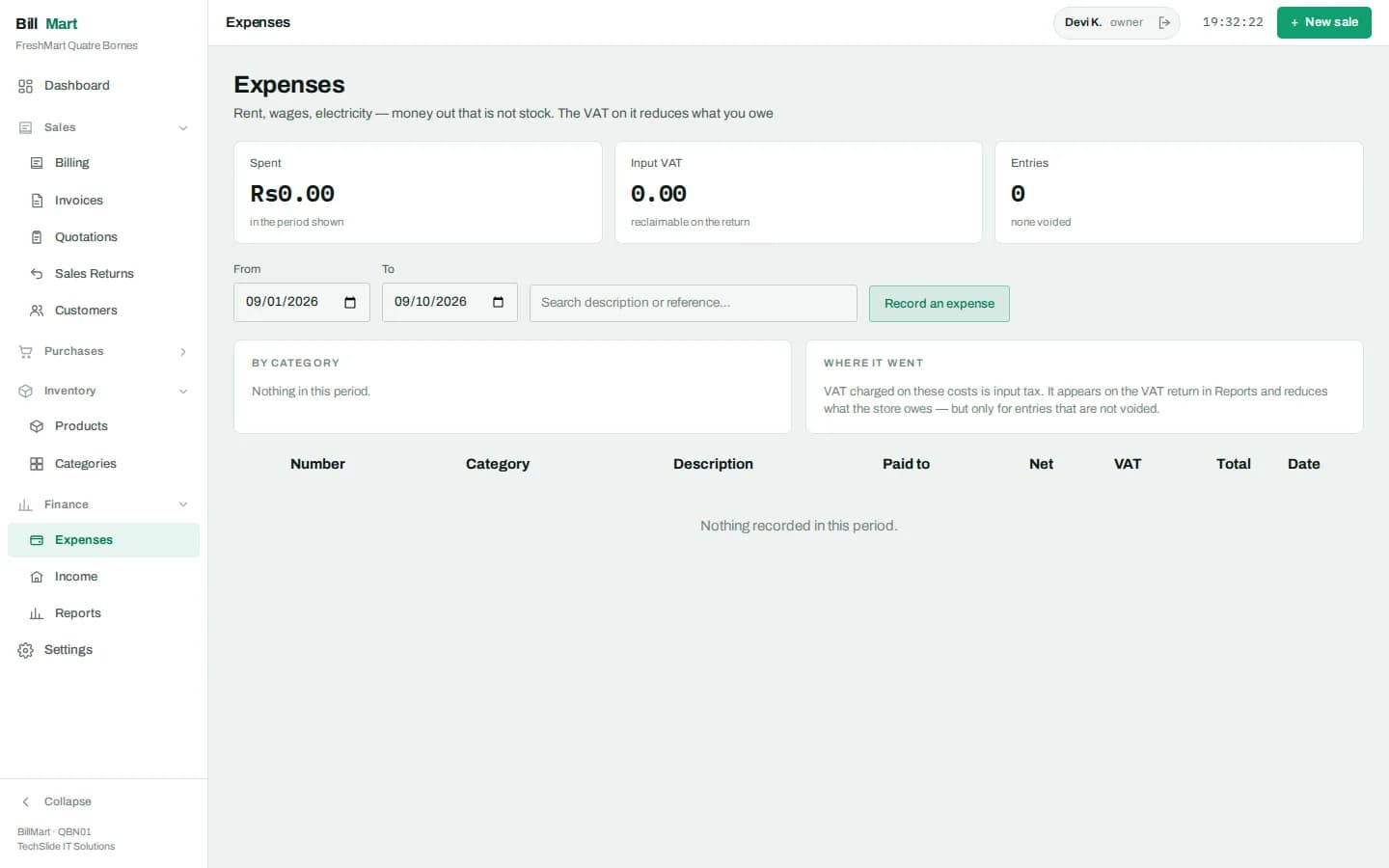
The cash ledger behind the profit figure
Money that leaves without being a purchase, and money that arrives without being a sale, both belong in the ledger by category — otherwise the income and expense report is only a sales report wearing a different name.
- Expenses by category and date
- Income that did not come through the till
- Cash movements in and out of the drawer, each with a reason
- Income and expense report by category
- Feeds the profit figure rather than sitting beside it
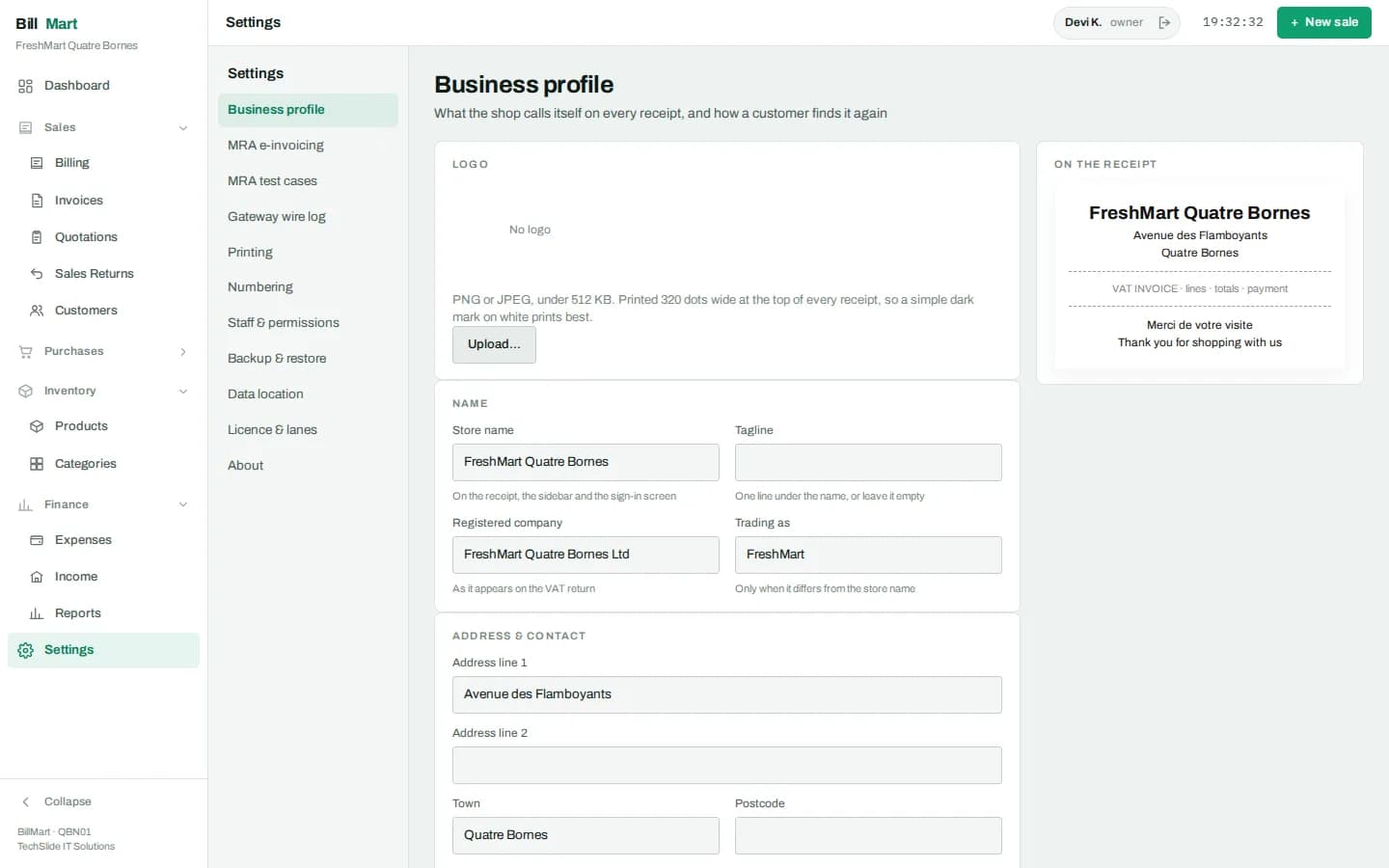
Set the store up once
Business profile, tax configuration, document numbering, printing, backups and staff — all in one place, and only the owner sees the whole of it. Printing is per machine, because the printer is hardware plugged into that lane.
- Business profile that prints on every document
- Tax configuration and statutory settings
- Document numbering, prefixes and reset periods
- Receipt printer per machine — 58 or 80 mm, network ESC/POS
- Backup policy and where the data lives
- Staff accounts and permissions
The full list
What is in the core, and what your licence decides.
| Module | What it does | Availability |
|---|---|---|
| Till | Scan, weigh, quick keys, holds, split tender, receipt printing | Core |
| Invoices & documents | Every bill and the document behind it, reprintable | Core |
| Items & categories | Catalogue, barcodes, pricing and units shared by lane and back office | Core |
| Purchases & suppliers | Receive a delivery, cost it, and have stock follow | Core |
| Stock ledger & stocktake | Movements with a reason, counts, adjustments and write-offs | Core |
| Reorder | What is running out, by how much, and from whom | Core |
| Sales & purchase returns | Refund against the original bill at the price paid, restock or damage | Core |
| Cash & shifts | Counted float, cash in and out, X and Z reports, drawer variance | Core |
| Expenses & income | The cash ledger behind the profit figure | Core |
| Reports | Seven tabs over one date range, all exportable | Core |
| Audit trail | Overrides, voids and no-sales, with who and why — not editable | Core |
| Staff & roles | Who may override a price, void a line or open the drawer | Core |
| Barcode labels | Shelf-edge and item labels printed from the catalogue | Core |
| Customers & store credit | Accounts, credit limits checked at settle, statements | Plan |
| Promotions | Offers applied by the pricing engine, shown on the receipt | Plan |
| Fiscalisation | The country tax pack — Mauritius MRA today | Plan |
| Extra lanes | More counter PCs on one catalogue and one day book | Plan |
In every licence
The lane
Scan, weigh, or use quick keys for what has no barcode. Prices and tax are applied by the engine on the machine, so a lane never waits on a server to price a line.
Split-tender payment
Cash, card, wallet or QR, split across as many methods as the customer needs, with the tender counted against the amount payable and the change worked out for the cashier.
Shifts & the drawer
Nothing sells until the float is counted in and attributed to a cashier. The Z report closes the shift against a counted drawer, so a difference is found the same day.
Stock & purchases
Receive a delivery and the stock follows. Adjustments, write-offs, stocktake and reorder all insist on a reason, so the ledger explains itself later.
Reports
Seven tabs over one date range — sales, items, payments, tax, stock, staff and cash — each exportable for the accountant.
An audit trail nobody can edit
Price overrides, discounts, voids and no-sale drawer opens each need the right role and a reason, and each lands in a trail that cannot be altered afterwards.
Licensed on top
Customers & store credit
Accounts with a credit limit checked inside the settle transaction, statements, and store credit — so an account can never quietly go past its limit mid-sale.
Promotions
Offers priced by the engine rather than by the cashier: the till applies the rule, the receipt shows what was taken off, and nobody has to remember this week’s deal.
Fiscalisation
Tax is a country-pack engine rather than hardcoded rates. The pack that ships today is Mauritius, including MRA electronic billing; other jurisdictions are packs still to be written.
More lanes
Extra lanes are licensed per machine and share one catalogue and one day book, each keeping its own drawer and its own shift.
Looking for how BillMart fits alongside our other software? Read the product overview on techslideits.com.
See it on your own counter.
Install it and put your own products in. Nothing to uninstall if it is not for you.